
Portraiture — Photo
Portraiture®
AI-powered skin retouching for Photoshop, Lightroom Classic and Affinity. Smooth skin flawlessly while preserving natural texture — in a fraction of the time.
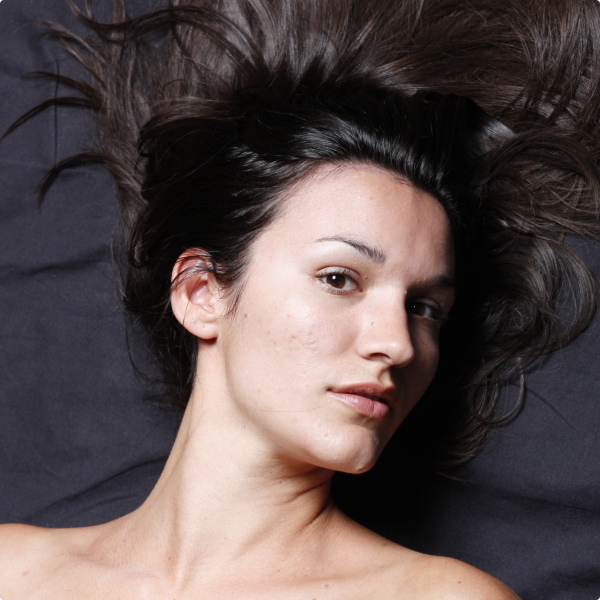
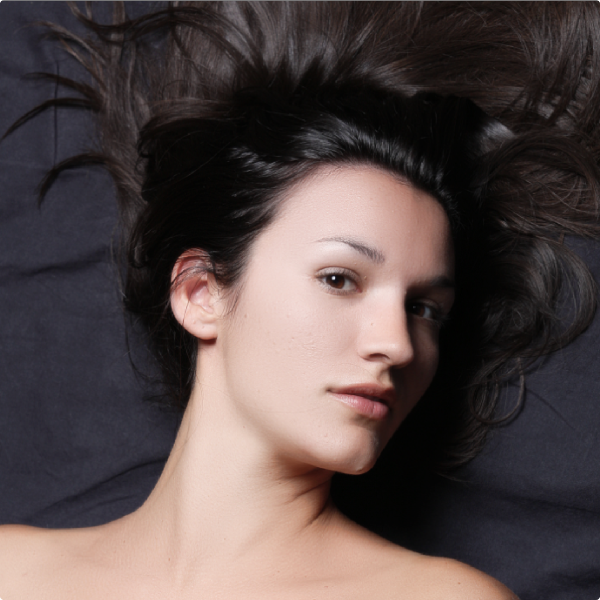
What it does
Retouching that thinks like a retoucher
Portraiture analyzes each photo and does the careful work for you — consistently, and without the plastic look.
01
Skin Smoothing
Portraiture AI intelligently retouches portraits by analyzing the photo and applying the smoothing exactly where it is needed the most.

02
AI-Enabled Masking
New Portraiture gives you more control with AI masks for hair, eyes, and skin smoothing — delivering consistent, natural results.

03
Consistently Superior Results
The Uniformity feature ensures consistent results within and across images — ideal for full shoots and batches.

04
Fill Light Tool
The Fill Light feature illuminates shadowed areas, revealing hidden details without altering overall exposure — so every facial feature stands out with clarity.

Compatibility
Works with your tools
Mac
macOS 15+
Windows
Windows 11
Hosts
Photoshop, Lightroom Classic, Affinity
Testimonials
Loved by professionals
“Our studio uses the Portraiture plugin extensively, and we love it... more importantly, our clients LOVE it too!”
 Andy MarcusProfessional photographer
“Portraiture helps me have stunningly even skin while still maintaining all of the detail. It is an essential part of my high-end beauty retouching technique.”
 Lindsay AdlerProfessional photographer
“I know more and more pro photographers who are using Portraiture in their retouching workflow because it lets you beautifully smooth skin while still maintaining important texture. They’ve got some kind of ‘secret sauce’ going on there and while I don’t know exactly what it is, I know this — it works!”
 Scott KelbyProfessional photographer
Already a customer?
Upgrade to Portraiture 5
Own an earlier version? Validate your existing license to upgrade to the latest Portraiture at a reduced price.
Upgrade license key
To qualify for the Portraiture upgrade, provide your current Portraiture License key or Product ID.