PORTRAITURE PHOTO
For Photoshop and Lightroom
NEW AI masking delivers more control and cleaner selections for natural results.
select hosts
select quantity
select hosts
Thank you for downloading Imagenomic products!
Download link has been successfully sent to .
Please make sure to check your spam/junk mail settings to ensure Imagenomic email correspondence is received promptly.
In order to qualify for Upgrade for Portraiture Plugin, please provide your current License key (or Product ID) for the Portraiture Plugin.
Please copy & paste your License key or Product ID:
01
SKIN SMOOTHING
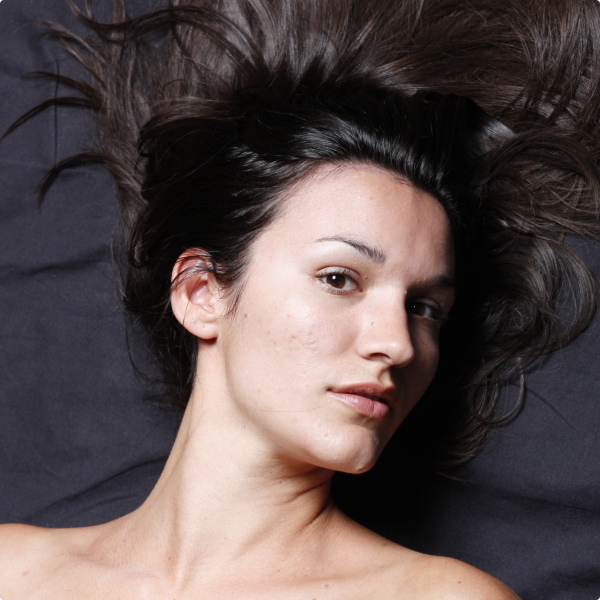
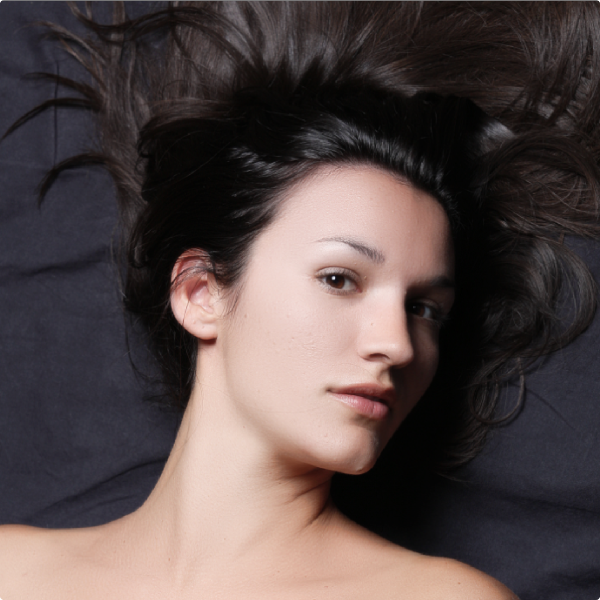
Portraiture AI intelligently retouches portraits by analyzing the photo and applying the smoothing where it is needed the most.
02
AI-ENABLED MASKING
New Portraiture gives you more control with AI masks for hair, eyes, and skin smoothing - delivering consistent, natural results.
03
CONSISTENTLY SUPERIOR RESULTS
Uniformity feature ensures consistent results within and across images.
04
FILL LIGHT TOOL
The fill light feature illuminates shadowed areas, revealing hidden details and without altering overall exposure, ensuring every facial feature stands out with clarity.

"Our Studio uses the Portraiture plugin extensively, and we love it... more importantly, our clients LOVE it too!" - Andy Marcus

"Portraiture helps me have stunningly even skin while still maintaining all of the detail. It is essential part of my high-end beauty retouching technique." - Lindsay Adler

"I know more and more pro photographers who are using Portraiture in their retouching workflow because it lets you beautifully smooth skin while still maintaining important texture. They've got some kind of "secret sauce" going on there and while I don't know exactly what it is, I know this - it works!" - Scott Kelby

MAC OS 15+

Windows 11
Photoshop, Lightroom