Imagenomic


Professional Photographer HOT ONE Winner 2010  American Photo editor's choice 2009  American Photo editor's choice 2007

SKIN TONES MASK

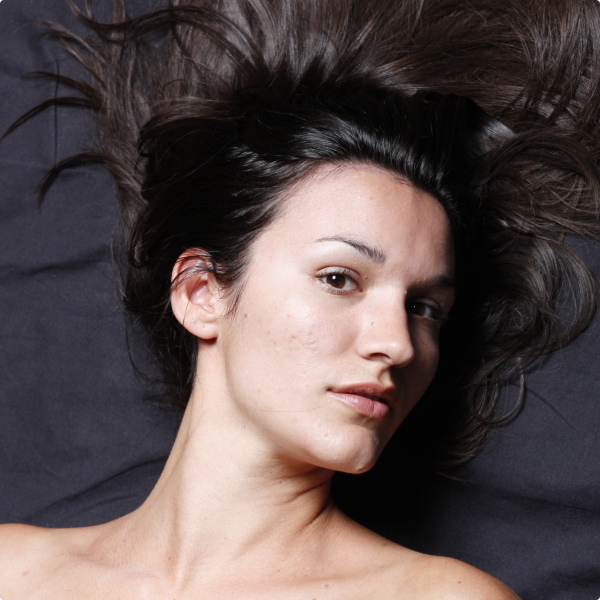
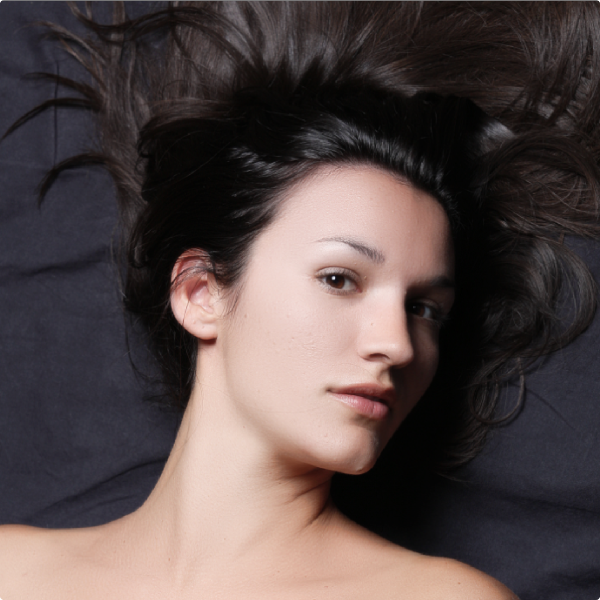
Portraiture provides a powerful skin tone masking tool with an Auto-Mask feature to allow for fine smoothening control across all skin tones present in the subject image. Auto-Mask recognizes the skin tone range of the image automatically and, accordingly, creates an optimal skin tones mask for that particular image.

Auto-Mask provides an excellent starting point for manually fine-tuning the automatic results, if desired. With many available slider controls and the two Color Picker tools, you can further fine-tune the Auto-Mask results to create the most optimal skin tones mask for your image and for your portfolio requirements.

Auto-mask is also very useful when batch processing. Because it creates the masks automatically based on the image's unique skin tone range, each image will be treated individually during the batch process, thus enabling an efficient workflow technique when choosing to apply detail smoothening only to skin tones for a large number of images.

Additionally, Portraiture allows for outputting only the masked range of the image to enable further adjustments to the skin areas.


Overview Detail Smoothing Enhancements


Portraiture Plug-in Facts

Plug-in for Adobe Photoshop Plug-in for Adobe Photoshop Lightroom Plug-in for Apple Aperture
Embedded ICC support via Photoshop
Photoshop Action support - -
Batch processing via Photoshop Actions
Supported Image Formats Any format supported by Photoshop TIFF, JPG TIFF, PSD
RGB
LAB - -
CMYK, Multichannel Single Channel only - -
8 bits/channel
16 bits/channel
Smart Filter - -
Custom filter preset support
Multiple Previews
Bracketing
Output on New Layer/Document   1 - -
Operating system Windows XP/Vista/Windows 7
Mac OS X 10.5.x/10.6.x (Intel),2
Windows XP/Vista/Windows 7
Mac OS X 10.4.x/10.5.x/10.6.x (Intel)2
Mac OS X 10.5.x/10.6.x (Intel)2
Compatible host program Adobe Photoshop CS3/CS43/CS53
Adobe Photoshop Elements 6/7/8
Adobe Photoshop Lightroom 2 Apple Aperture 2.1,
Aperture 3.0 (both 32 and 64 bit modes)
Photoshop CS4/CS5 64bit 3 - -
Availability Download or Buy USD 199.95 Download or Buy USD 199.95 Download or Buy USD 199.95
1-This feature is not available when the plug-in is running in an Action or used as a Smart Filter. In order to output on a New Layer when running in an Action or using as a Smart Filter, the New Layer needs to be created manually before calling Portraiture plug-in.
2-Portraiture Plug-in for Photoshop (Mac OS X edition), Portraiture Plug-in for Lightroom (Mac OS X edition) and Portraiture Plug-in for Aperture are available for Intel Macs only
3-Support for 64 bit CS4 (Windows) and CS5 (Windows and Mac OS X) is available on 64 bit Vista, 64 bit Windows 7, Mac OS X 10.5.x and Mac OS X 10.6.x - on 64 bit XP the plug-in can be used only in 32 bit CS4/CS5.
CS5 compatibility information

Portraiture 2 (Photoshop Editon) is a FREE Upgrade for registered users of Portraiture 1 Plug-in for Photoshop. For registered users of the Portraiture Plug-in for Photoshop Edition interested in acquiring Portraiture 2 for Aperture or Lightroom Editions, Portraiture is available at a 50% discount off the MSRP price of $199.95. Please proceed to Portraiture purchase page and select the discount option.
 
For new users, Portraiture 2 can be used on a 15-Day Free Trial basis. You can Download it here.

See New Portraiture 2 Features


Portraiture Plug-in
$199.95 add to cart

Professional Plug-in Suite
(inlcudes Portraiture, RealGrain and
Noiseware Professional Plug-ins)
$ 299.95 add to cart


Special Offers


HOME    I    PRODUCTS    I    DOWNLOADS    I    PURCHASE    I    GALLERY    I    SUPPORT    I    FORUM    I    ABOUT
All product and company names referenced herein are trademarks of their respective owners.
 © Copyright 2004-2010 Imagenomic, LLC. All rights reserved. Legal Notices